Small and growing businesses
Start with invoices, stock, purchasing, and the accounts, then add people and locations as the work grows.

Cloud software for accounting, sales, purchasing, inventory, and POS, together with maintenance requests, work orders, and service reports. E-invoicing is supported in Jordan and Saudi Arabia.
No credit card is required to start the trial.

For small, medium, and growing businesses that sell, hold stock, run branches, manage maintenance work, or need e-invoicing in Jordan or Saudi Arabia.
Start with invoices, stock, purchasing, and the accounts, then add people and locations as the work grows.
Run more than one branch, with stores and the documents that move quantities.
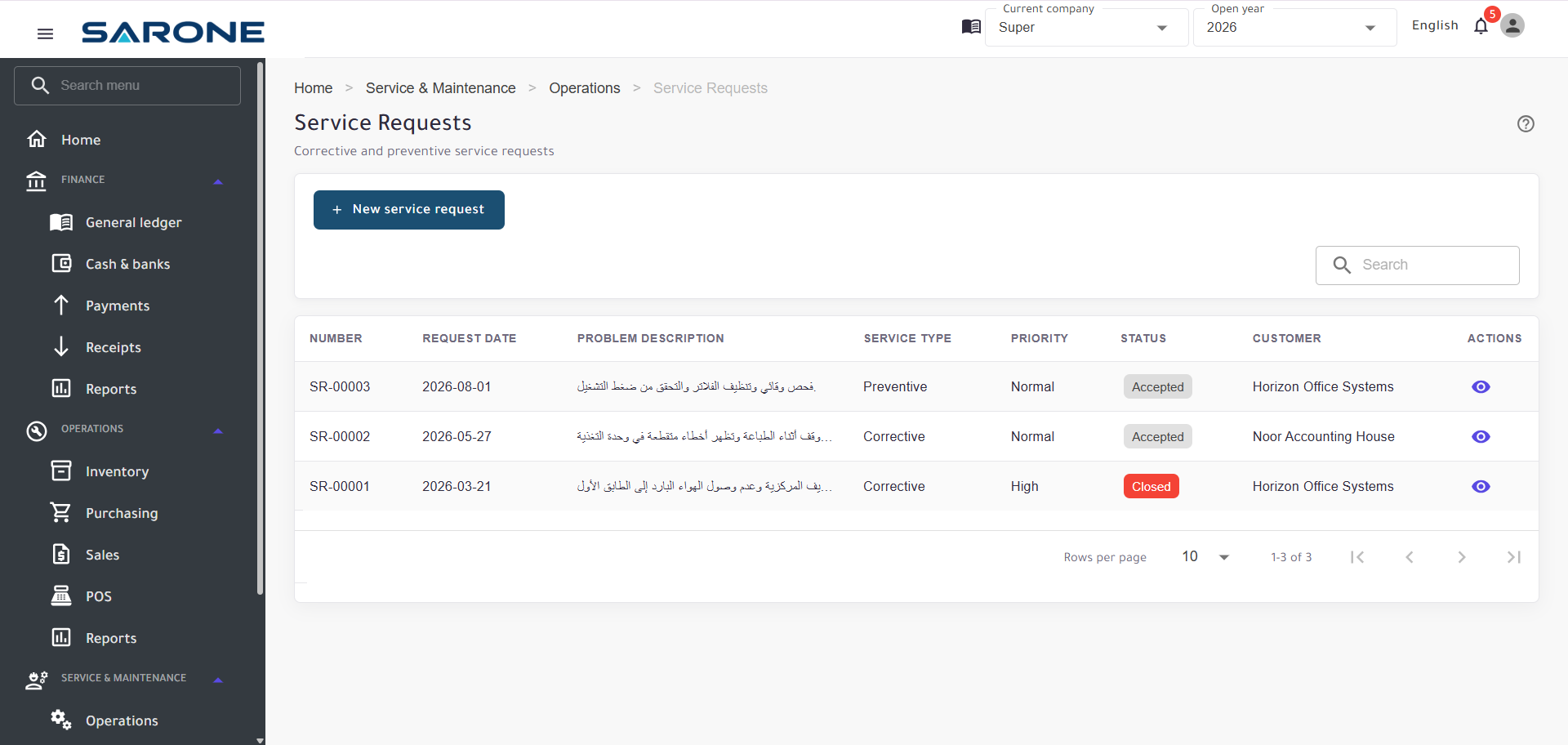
Manage maintenance requests, work orders, and service reports for the customer and the site.
Issue electronic invoices from SARONE. Jordan through JoFotara, Saudi Arabia through ZATCA.
SARONE is not only invoicing software, and it is not only a place to log service jobs. Business management and maintenance operations run together.
From the customer and the sale, through stock and the accounts, to the payment.
The customer, the site, the equipment, the work order, and the service report stay in SARONE.
Service & Maintenance
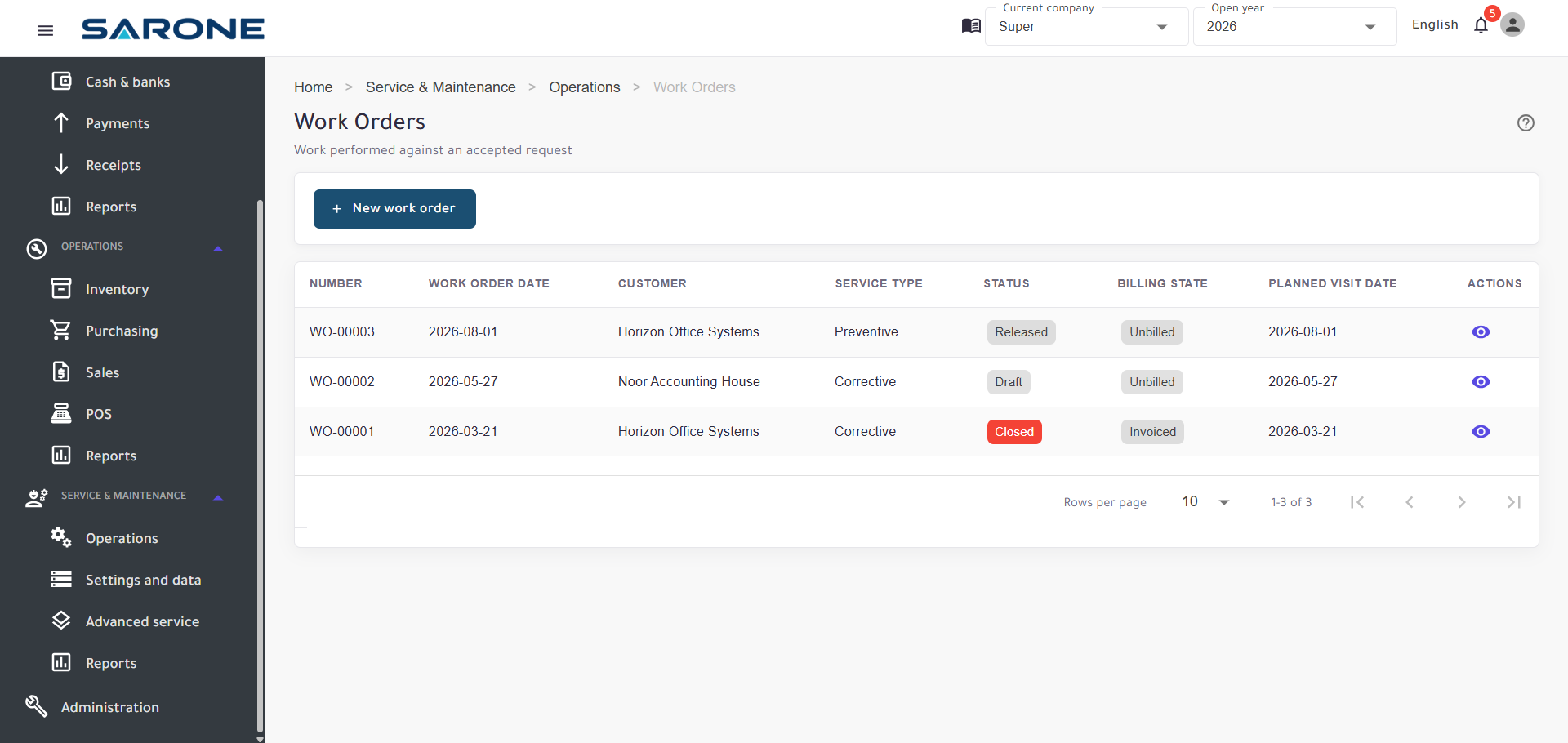
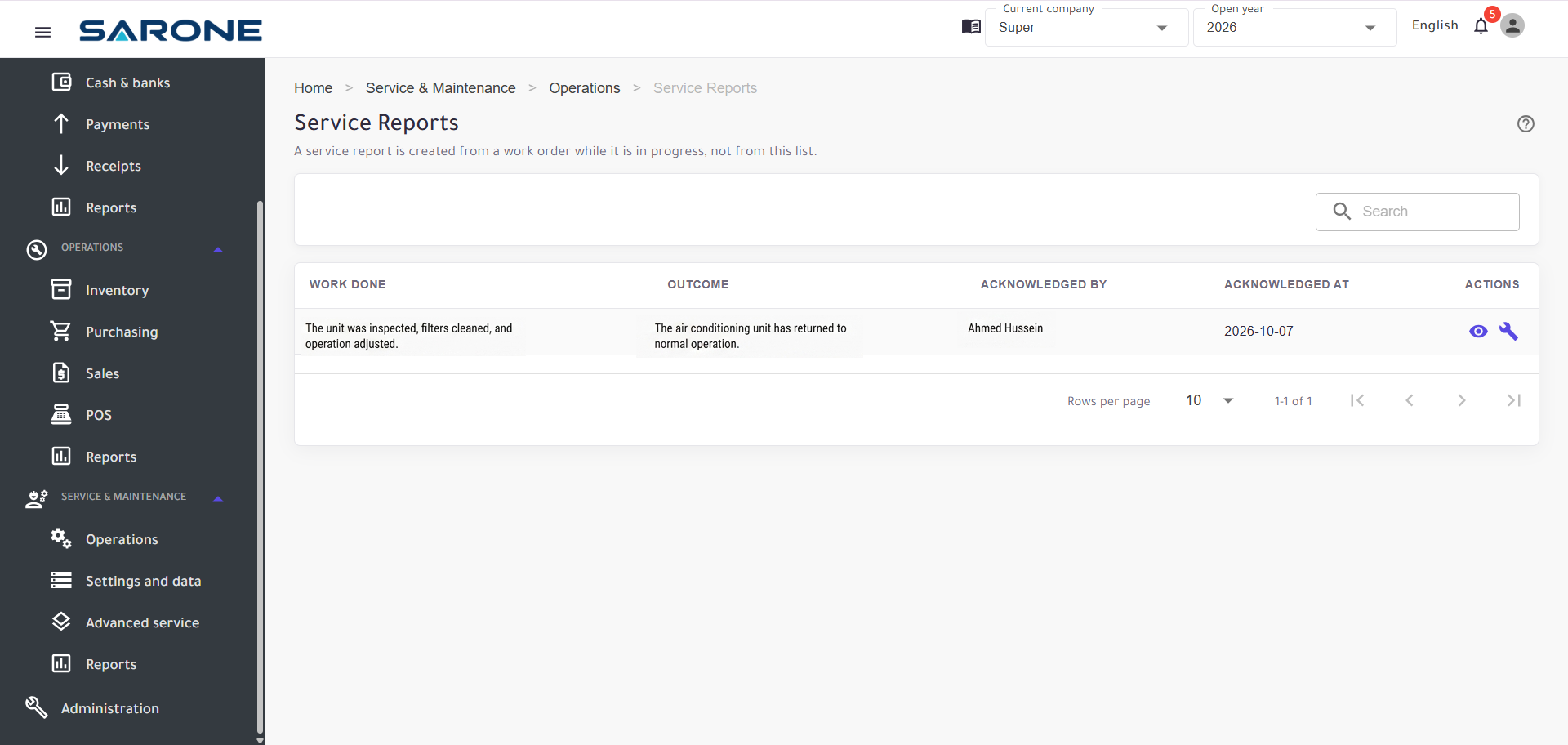
Record the customer, the site, and the equipment. Open the request, release the work order, assign the technician, and enter parts, labor, and charges. Close with a service report, then invoice and collect.
Select the customer the job is for.
Use the site where the work is done.
Attach the equipment installed at that site when the job is for a specific one.
Record what is needed: corrective or preventive work.
Release the job and carry it out.
Assign the technician who does the work.
Enter the parts used, the hours, and any other charges. Parts are inventory items.
Record the completed work.
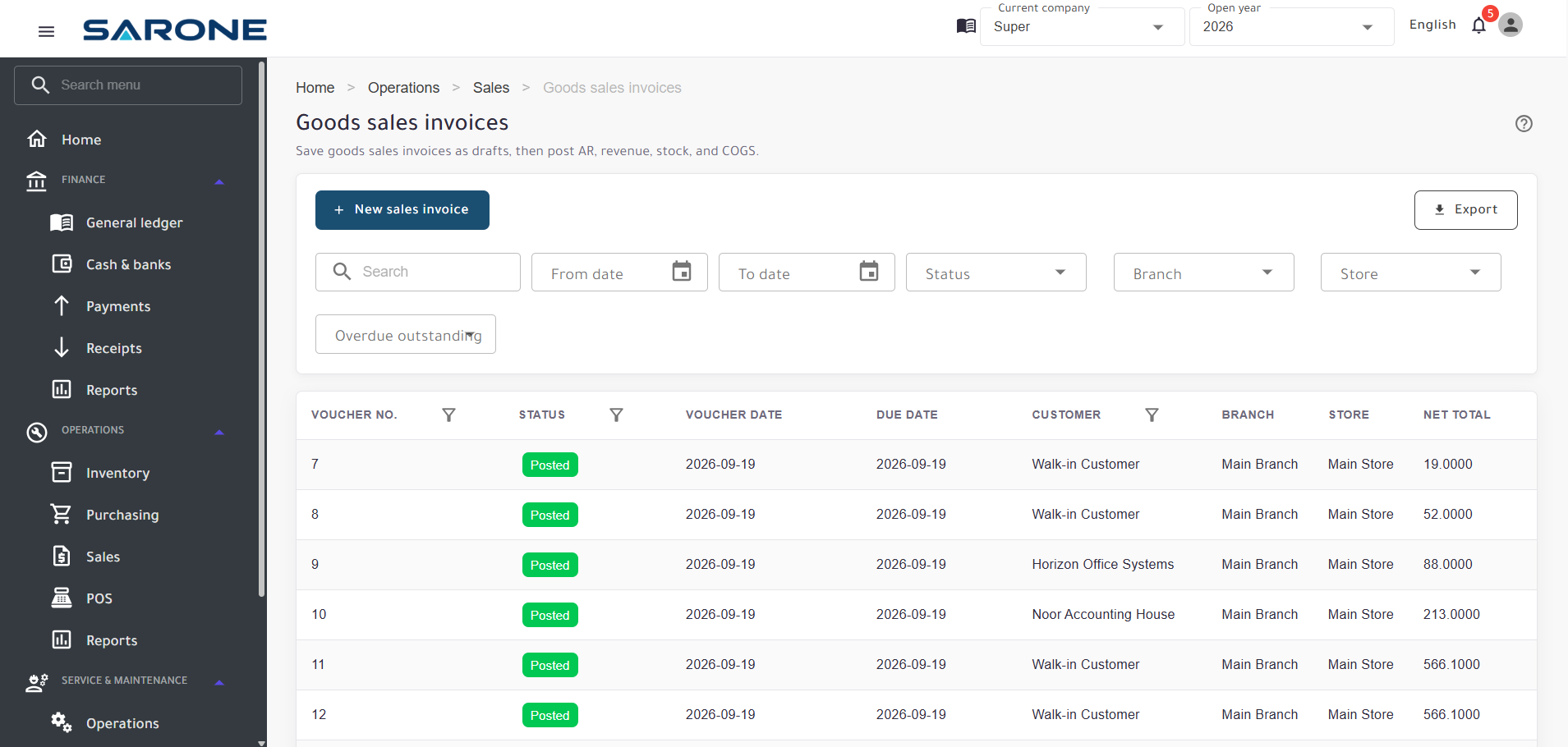
Bill the job with a service invoice. It posts into accounting.
Collect through the payment flow already in SARONE.
Sales, purchasing, inventory, POS, and accounting, together with maintenance operations.
Invoices, customers, discounts, payments, and returns — then the e-invoice when the market requires it.
Purchase requests, orders, receiving, supplier invoices, and returns.
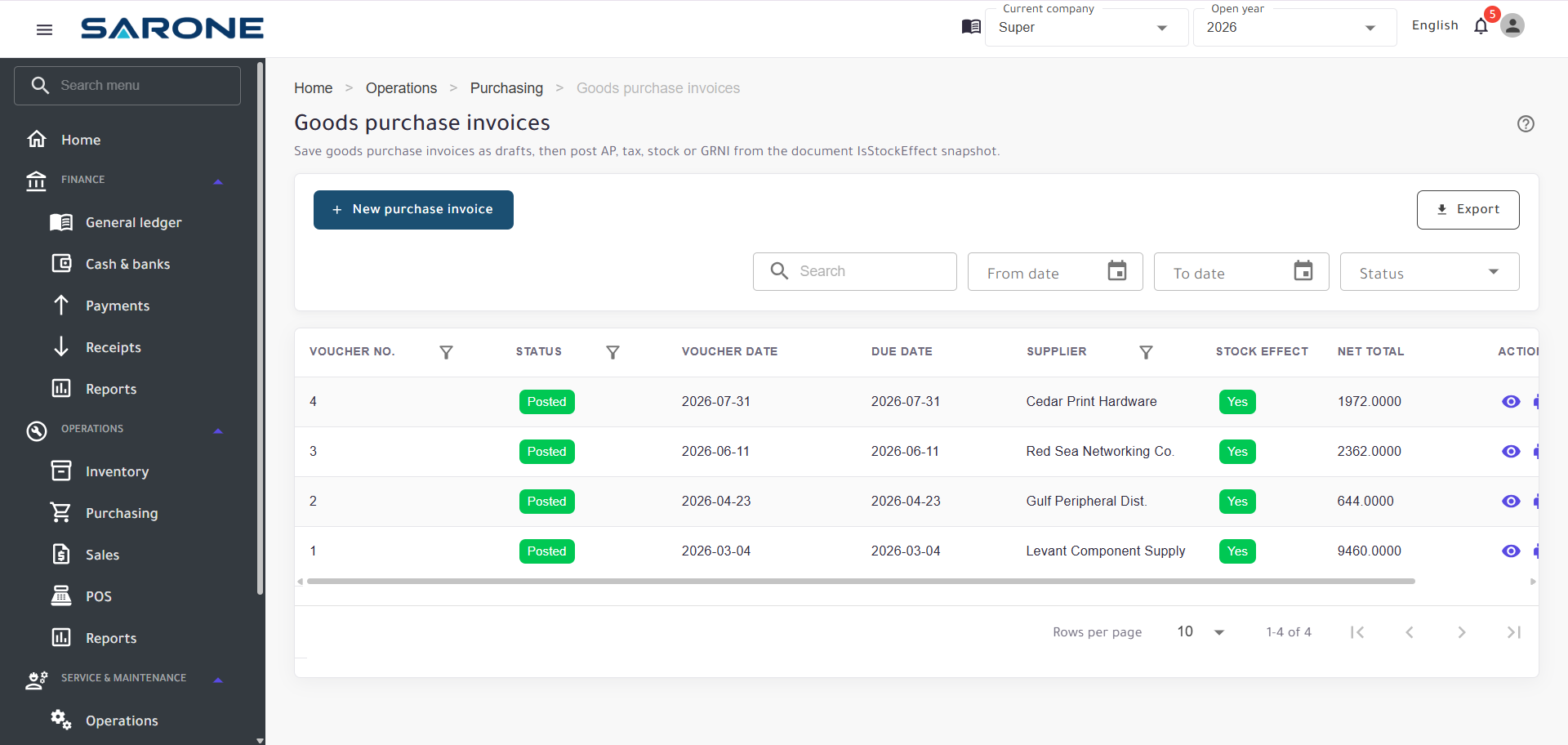
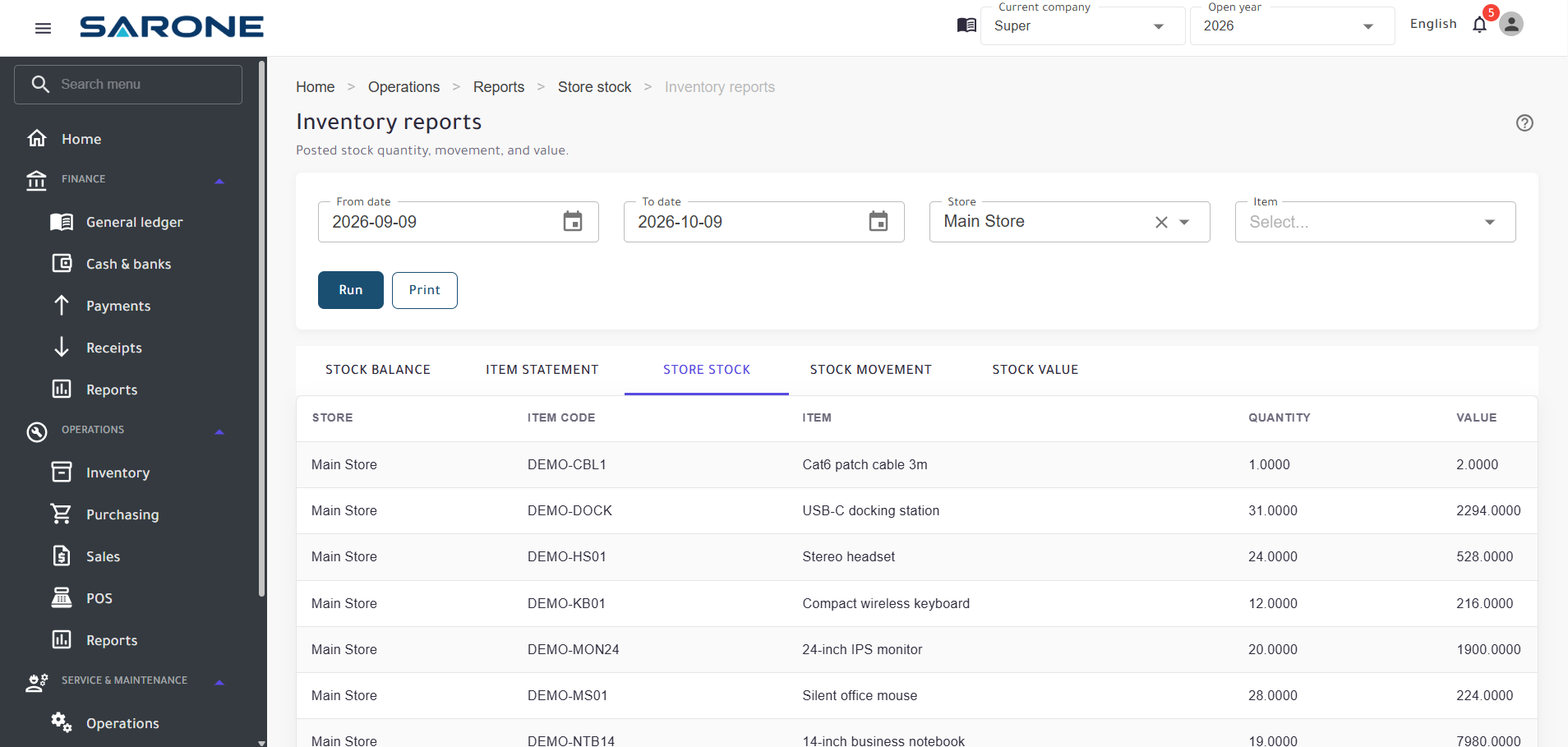
Items, stock movements, transfers, adjustments, and stocktaking across stores.
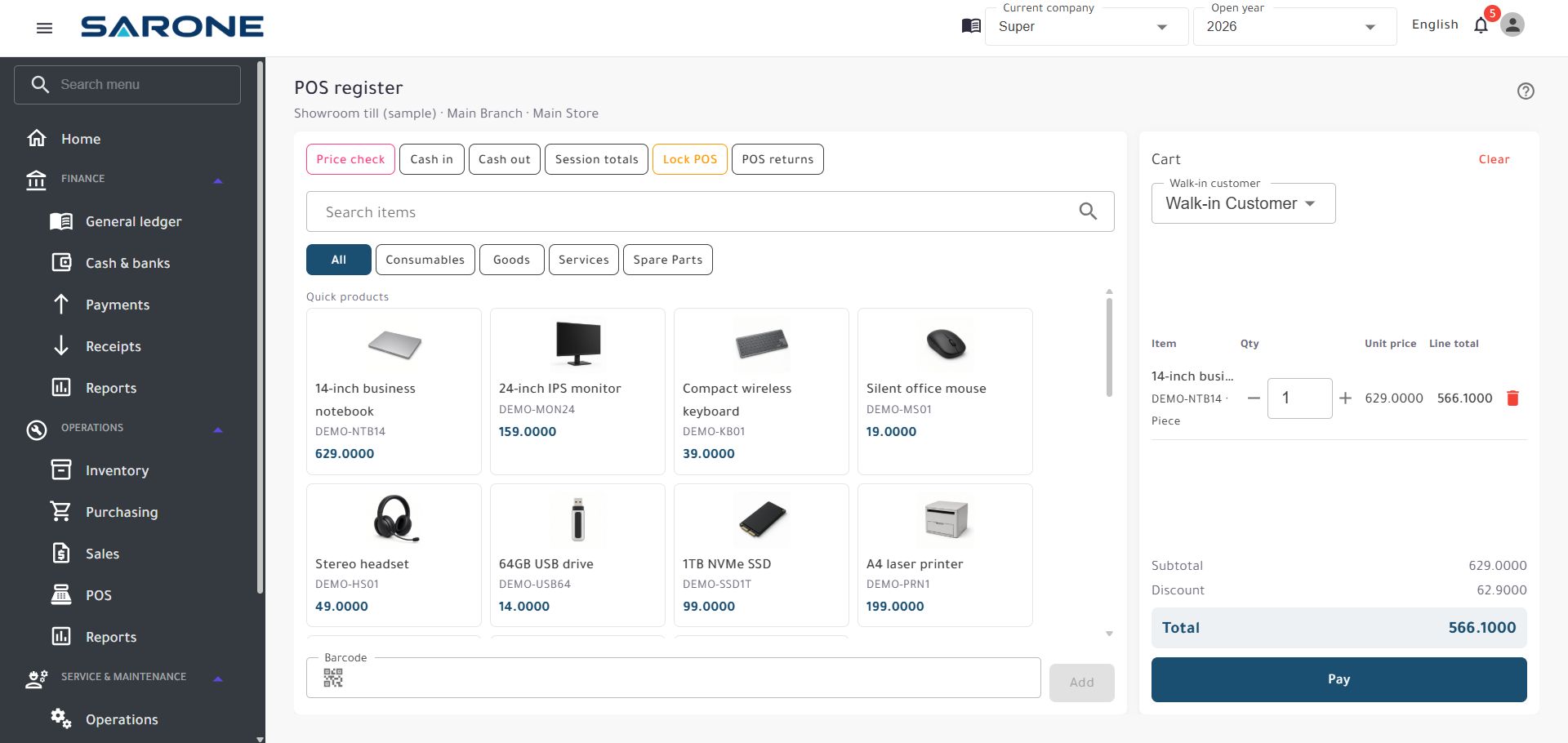
The register, cashier sessions, and cash, card, or split payment. The POS count depends on the plan.
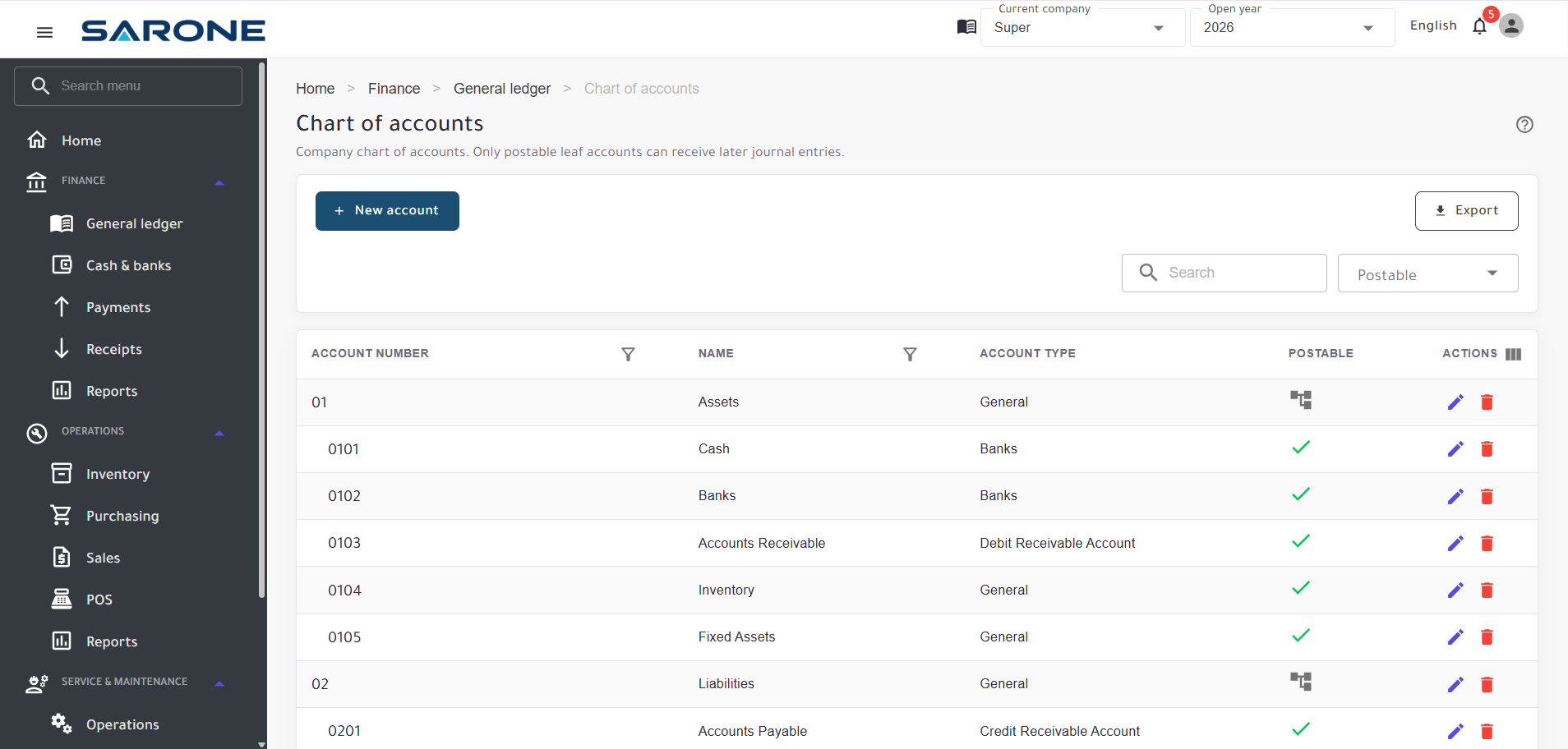
Journals, receipts, payments, the ledger, trial balance, profit and loss, and balance sheet.
Electronic invoices are issued from SARONE documents, not from a separate invoicing product. Jordan connects through JoFotara. Saudi Arabia connects through ZATCA. You still handle tax registration and authority onboarding.
Compliance depends on each authority's requirements and your account setup.


For the work that runs the business and the work that follows maintenance at the customer.
Customers, stock, invoices, and accounts live in the same product, so the operational document and the books are not two systems.
Sell and stock the business, and manage maintenance work without a separate tool.
Purchasing, stores, sales, and service parts follow the same items. The service invoice posts into accounting.
JoFotara in Jordan and ZATCA in Saudi Arabia are part of SARONE. You remain responsible for registration and onboarding.
Each business account stays separate. Roles decide who can open accounting, inventory, sales, and service, and the check is made on the server.
Separate accounts, permissions, and a protected connection — checked on the server, not only in the screen.
Each business runs in its own account. The application keeps one account's data apart from another's, and the company context is applied on the server.
People reach only the areas their role allows, including accounting, inventory, sales, and service work.
The application requires sign-in and checks permission on protected operations.
SARONE is served over HTTPS.
Connection details and application secrets stay in configuration. They are not shown on the public site.
Important business records keep who created them and who last changed them.
Three paid plans. A 30-day Professional trial, then the plan that matches your size.
New accounts start with a 30-day Professional trial. It is not a permanent free plan, and it is not a paid subscription.
Every paid plan includes sales, purchasing, inventory, accounting, reports, taxes, currencies, e-invoicing, and service and maintenance. Choose by the scale you need.
For small businesses
$9 per month
$90 per year
Save 2 months
Pay for 10 months, use 12
For growing businesses
$19 per month
$190 per year
Save 2 months
Pay for 10 months, use 12
For larger, multi-branch and service-driven operations
$39 per month
$390 per year
Save 2 months
Pay for 10 months, use 12
Compare users, branches, stores, and what is included


Multiple payment options
Yes. A new account starts a 30-day Professional trial. There is no permanent free plan.
The trial lasts 30 days and uses the Professional experience, including that plan's limits for users, companies, branches, stores, and POS.
Choose Starter, Business, or Professional to continue on a paid plan. The trial is not a paid subscription.
No. Creating an account starts the trial. A payment method is used only when you subscribe to a paid plan.
Yes. It is included on Starter, Business, and Professional. Current plans do not set a separate quota for service requests, work orders, or equipment.
Yes. E-invoicing is part of SARONE, including JoFotara in Jordan and ZATCA in Saudi Arabia. You remain responsible for tax registration and authority onboarding. Compliance depends on each authority and your account setup.
Yes. Sales, purchasing, inventory, accounting, and service and maintenance run in the same platform. POS is included when the plan's POS count is greater than zero: Starter is 0, Business is 3, and Professional is 10.
Yes, up to the plan you choose. Starter includes 2 users, 1 company, 1 branch, and 1 store. Business includes 5 users, 1 company, 3 branches, and 5 stores. Professional includes 15 users, 3 companies, 10 branches, and 20 stores.
Yes. You can cancel a paid subscription so it does not renew, from Manage Subscription in the billing portal. Cancellation stops future charges. It does not by itself refund time already billed. Refunds follow the refund policy.
Each business account is kept separate, and company context is applied on the server. People reach only the areas their role allows. Sign-in is required, and protected operations are checked on the server. SARONE is served over HTTPS. Important records keep who created them and who last changed them.
Start the 30-day Professional trial, then choose the plan that matches the size of the operation.